Todo-Gui
To-Do List Application
Overview
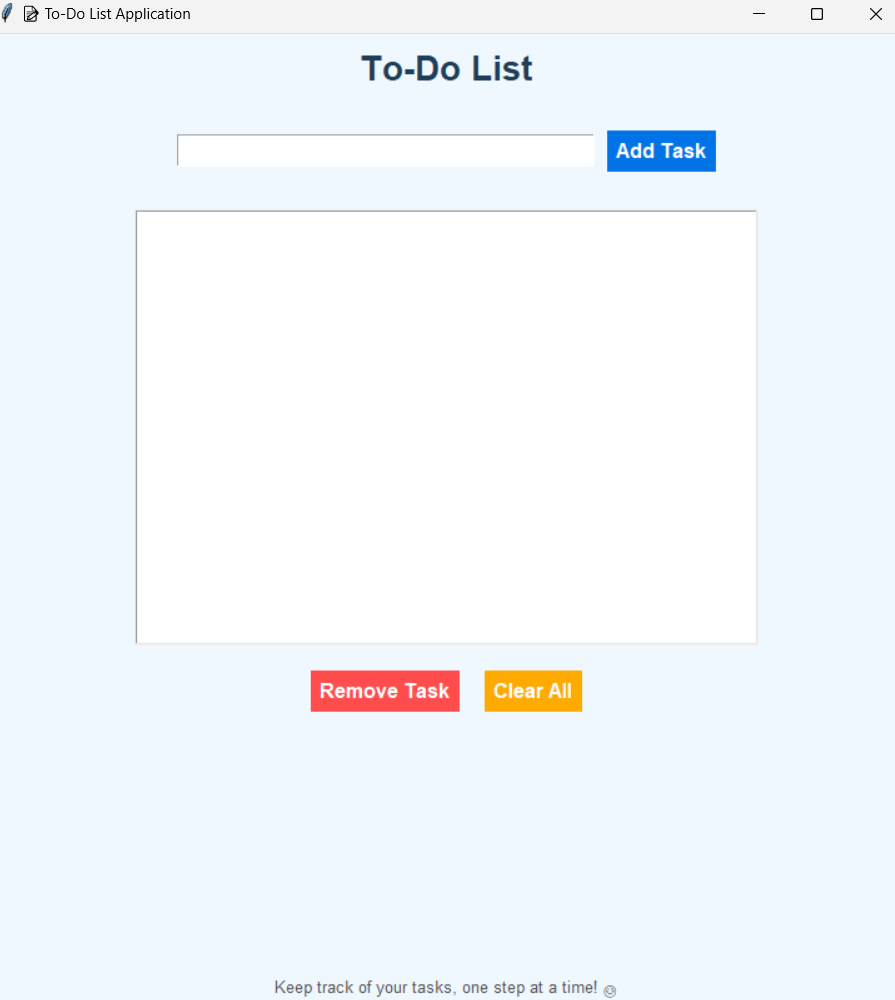
The To-Do List Application is a Python-based desktop application that helps you manage your daily tasks efficiently. With its user-friendly graphical interface, you can easily add, remove, or clear tasks as needed.
Features
- Add Task: Add tasks to your list.
- Remove Task: Select and remove a specific task from the list.
- Clear All Tasks: Delete all tasks in one go with a confirmation prompt.
- Responsive and visually appealing interface.
Prerequisites
- Python 3.x: Ensure Python is installed on your system.
- Tkinter: Pre-installed with Python (no additional installation needed).
How to Use
- Run the Application:
- Save the script as
todo_list.py. - Open a terminal or command prompt and navigate to the file’s directory.
- Run the script:
python todo_list.py
- Save the script as
- Add Tasks:
- Type a task in the input box.
- Click the Add Task button or press Enter.
- Remove Tasks:
- Select a task from the list.
- Click the Remove Task button to delete it.
- Clear All Tasks:
- Click the Clear All button.
- Confirm the action when prompted.
- Exit the Application:
- Close the window when done.
File Structure
todo_list.py   # Main script for the application
README.md      # Documentation file (this file)
Example Screenshot
Customization
- Modify the color scheme in the
root.configure()section to fit your preferences. - Adjust font sizes or styles for better accessibility.
Error Handling
- Alerts for:
- Adding empty tasks.
- Removing a task without selection.
- Confirming before clearing all tasks.
Future Enhancements
- Add functionality to save tasks to a file for persistence.
- Include a “Mark as Done” feature with task highlighting.
- Implement drag-and-drop task reordering.